100% Security
Instant Download 24/7
10+ Years of Service

Need Some Help?

All orders are provided by download and immediately upon ordering. More questions? If we're online, reach our to us on the Store Live chat located bottom right. Also see Questions and Answers. If we're offline, contact our Support team from the Contact Us page.
0 Reviews
$79.99
$99.99
Save 20%

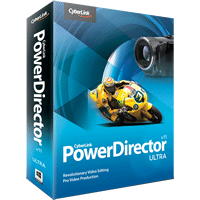
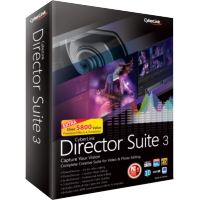
CyberLink PowerDirector 11 Ultra

+ FREE exclusive bundle worth £61, with every PowerDirector 11 Ultra order!

Need Some Help?

All orders are provided by download and immediately upon ordering. More questions? If we're online, reach our to us on the Store Live chat located bottom right. Also see Questions and Answers. If we're offline, contact our Support team from the Contact Us page.
+ login to earn points
Platform
Windows 7 (32 bit)
Windows 7 (64 bit)
Windows 8
Windows Vista
Windows XP
Version
11.0
Manufacturer
Twitter
Last Updated
28 March 2014
Download Size
400.00 MB

CyberLink PowerDirector 11 is the latest edition of this popular, feature-packed consumer video editor.

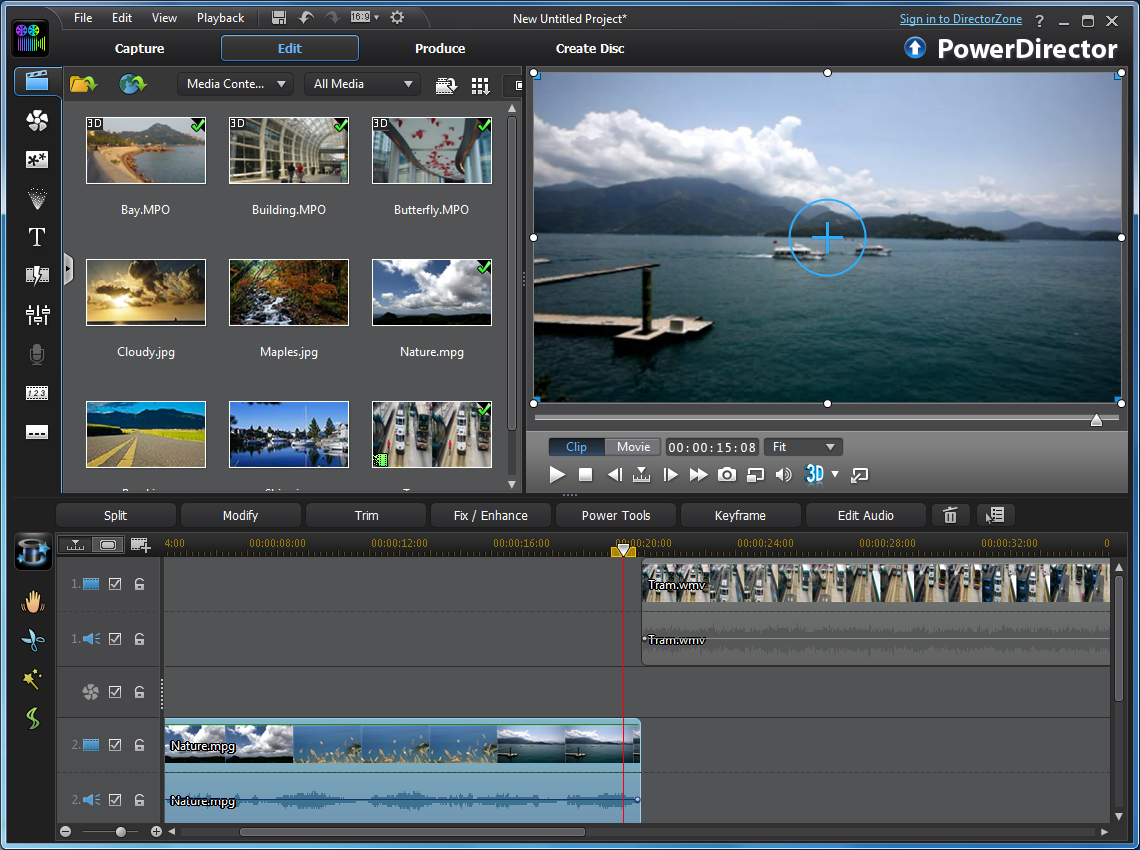
As with previous releases, the program provides everything you need to create professional videos, complete with soundtrack, transitions, special effects and more, before exporting your project to a file, sharing it online, or burning it to disc, complete with your own custom menus.

And this is no minor update. Rather, PowerDirector 11 includes some very significant additions which will make a real difference to the editing experience, and this will be obvious from the moment you launch the program.

There's no longer any need to waste an age manually browsing lengthy movies, for instance, identifying the key sections you'd like to import, because PowerDirector 11's new content-aware editing can now do this for you. In just a click you have the program analyze any clip, quickly picking out the important scenes - the shots with zoom, pan, motion, faces and more. All you have to do is select these with the mouse, and import them for further work: much quicker and easier than ever before.

And your subsequent edits should also be much faster with PowerDirector 11, as the program now properly optimizes itself for your graphic technology (AMD VISION, nVidia GeForce or Intel 3rd Generation Core). While new multi GPGPU support means the program can, say, use the GPU processor in an integrated and additional graphics card to deliver even more performance (CyberLink quote a 38% speed increase as typical).

If you like to live on the leading edge then one of the ways you might use this extra power is via the program's new end-to-end support for 4K Ultra HD resolution; 4,096 x 3,072 (60p/60i) or 4,096 x 2,304 (60p/ 60i). Whether you want to import 4K footage directly from the latest cameras, edit it more effectively or publish to that resolution yourself, PowerDirector 11 has you covered.

But if you're more interested in simple, down-to-earth improvements which everyone can use, don't worry - the program has plenty of those, too.

A new flexibility in the interface, for instance, means it's now easy to adjust the media room thumbnail size and timeline track height, so giving you a much clearer look at exactly what you're doing.

A new "Customize Keyboard Hotkeys" dialog displays all the program's hotkeys, and allows you to tweak them to suit your precise needs.

The Titles, Menus, Picture-in-Picture and Particle Effects designers now all run full-screen to help you produce more accurate results.

And in the fourth quarter of 2012, CyberLink will also release PowerDirector Metro, their first Windows 8 tablet editor, allowing you to do quick work outdoors before importing and continuing your project in PowerDirector proper.

Please note, PowerDirector is available in multiple versions. This one, PowerDirector Ultra, contains all the core video editing features, but omits some of the premium content you get with the Ultimate, Ultimate Suite and Director Suite builds: sample NewBlueFX motion and paint effects, assorted premium content packs, bonus colour correction and sound design software tools, and more.

The download on this page is the trial version. You will receive the full build, with PowerDirector 11 Ultra content packs, Content Pack Essential and Content Pack Premium, after purchase.

Review by Mike Williams.

Exclusive FREE bundle worth £61:

With every purchase of CyberLink PowerDirector 11 Ultra, from this store, you receive a bundle of additional content, free-of-charge, including:

  • CyberLink MediaEspresso 6.5, worth £34.99, FREE!
  • CyberLink LabelPrint 2.5, worth £14.99, FREE!
  • PowerDirector Mobile, worth £10.99
  • The very latest "GM5" PowerDirector 11 software build
  • Official PowerDirector 11 294-page official tutorial book (as a PDF), FREE!
  • CyberLink post-sales technical support

MediaEspresso 6.5, worth £34.99, enables you to convert between audio and video formats. LabelPrint 2.5, worth £14.99, is the final touch for your movie content. Burn your movies to disc, then use LabelPrint to create and print your own labels. 

1024x768x16 colour display or higher; 3GB+ RAM for 32-bit system, 6GB+ RAM for 64-bit system; 5GB hard drive space/ 10GB (20 GB recommended) for DVD production/ 60GB (100GB recommended) for BD/AVCHD production

Special Information

The download on this page is the trial version. You will receive the full build, with PowerDirector 11 Ultra content packs, Content Pack Essential and Content Pack Premium, after purchase.

Performance Issues?

Most system performance issues are often a result of other software clashing with your brand new software. For instance, security software can clash with a background process, such as a system maintenance tool or defragmentation software. Another cause of system slowdown, is a result of two software applications performing a similar task. As an example, Windows includes a firewall switched on as a default. Your new security suite is likely to include a firewall. You only need one firewall running. In this example, try turning off your system firewall.

Uninstalling Your New Software

Occasionally you may need to either temporarily or permanently remove your new software.

On a Windows computer, go to the Control Panel and choose Programs and Features. Locate the program within the list, then click it to highlight it. Finally, click the Uninstall button at the top of the list and follow the instructions to remove the program from your PC.

On an Apple Mac computer, using Finder, locate the Applications folder. Within the Applications folder, find the name of the application you wish to remove. Simply drag the icon to your Trash icon in your dock. Empty the Trash to remove the files from your computer.

Still Having Problems?

If you cannot solve your system performance issues or are struggling to remove your software, we advise contacting the software manufacturer. If you placed an order, see the section in the order which states Support options. Alternatively, go to the Contact Us page to contact store support directly.

Frequently Asked Questions

Find quick answers to the most common questions about our services and platform

How Do I Order Software?
Simply select the software you want to order by clicking the "Buy Now" button or, where the option exists, clicking on "Upgrade". The upgrade option enables you to upgrade from a previous version of the software. When you click "Buy Now" you will be taken to your shopping cart, powered by PayPro, where you can choose a payment option and then receive your download and serial code within seconds, after making your payment.
What Is The Extended Download Option?
When you place your order, you might see an option for "Extended Download Option" in your shopping cart. After you order software online, you will receive a digital download and a serial code by email from PayPro. If you create a PCWorld Software Store account, you normally have 30 days from placing the order to download your software, if you need to download again in the future. You can choose to extend this to two years, enabling you to login to your account and find your download, serial code(s) and your original invoice. Ideal if you need to re-install your software, suffer from a system crash or buy a new PC. Simply head to the "My Account" section on this store to access previous orders.
How Do I Access My Order, After Ordering?
Your order will be emailed to you from PayPro. In addition, you can find your order in your store account for 30 days after ordering. You need a store account and, for security reasons, the email address used in the order, must match your store account email. Simply create a store account (if you haven't already) and login to find your order information. If you purchased 'Extended Download Insurance' you can find and access your order for up to two years from the date you placed your order, rather than the standard 30 days.
Why Are Some Prices Dynamic?
This store supports fixed pricing in USD, EUR, GBP, AUD, NZD and CAD currencies. If you purchase in USD or GBP the price on the store reflects the currency in your shopping cart. If you are based outside these currency regions, you can still order, but the currency will be converted from the fixed USD price. Alternatively, you could pay in USD and simply allow your card issuer to convert from USD to your local currency (although a small conversion fee may apply).
Why Was My Card Declined?

In most instances this will be due to fraud protection from your credit card provider. Most card companies require you to signup to "3D Secure" which will send a 6-digit code to your mobile phone and/or your email address to make sure it's you placing the order. This was designed to help prevent against online fraud, so card companies make sure you are the person paying for your goods by authenticating the transaction.

Although you have protection when you purchase goods, online, through your credit card, your company may decline a large order or an order made through an online store for the first time. If your card is declined, we suggest you speak with your card provider and/or your bank. You can also pay through PayPal, Google Pay, Apple Pay, wire transfer or other payment formats.

Can I Ask For A Refund?

We strongly suggest you download and test trial software before placing your order. Trial software is provided to enable you to determine whether it's applicable for your system and meets your requirements. Once you are happy with your trial software, place an order. Digital downloadable software often cannot be refunded unless the order was placed in error and the order remains completely unused.

Activated software cannot be refunded as the code becomes the property of the customer and cannot be resold or reused. If you ordered in error or there is another problem with your order, contact PayPro directly for a refund.

Who Keeps My Order Information?
Your transaction is between yourself and our e-commerce provider, PayPro Global. PayPro will NEVER re-use your information, pass on to a third party and will not contact you unless you contact them with a query. Your credit card information is not kept on file and is not stored by any third party. If you ordered Extended Download Insurance with your order, we retain basic information about your order on our secure server. This includes your name, email address (required to access your account), serial codes ordered and download links to your software. No-one has access to this information apart from yourself. This information is only available once you have registered your account using the email address you used to place the order.

Write a review

Find What You Need!
Payment Methods
Trusted Partners
Norton Avast Software McAfee Bitdefender Microsoft Adobe
100% Security
Instant Download 24/7
10+ Years of Service